
MockUpThis
Mac. For students, and anyone with an app idea.
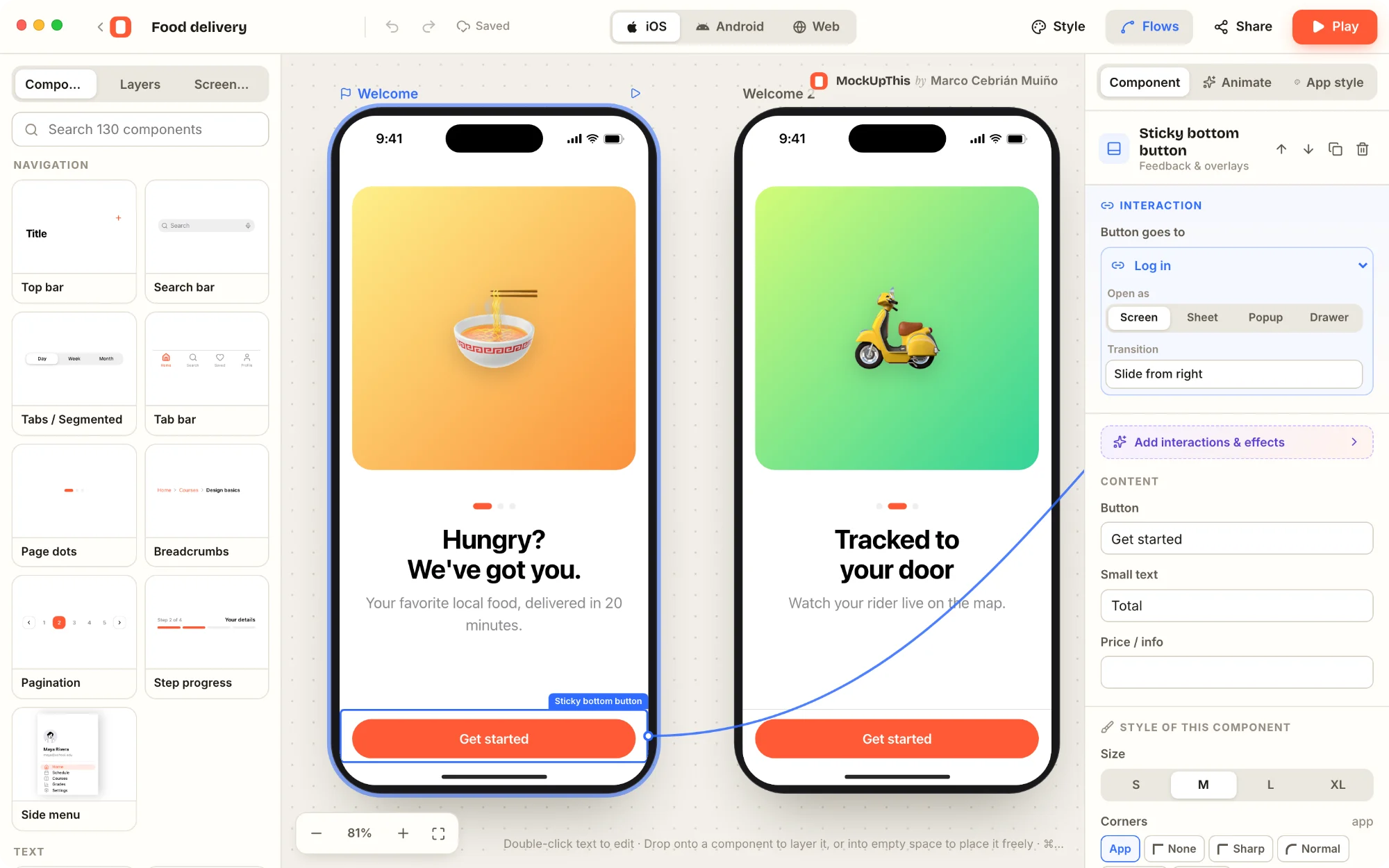
Make the app before you can code it. Pick a starter, drop in components, link the screens and press Play. What you get looks and taps like the real thing.
Press Play. Tap through it.
A prototype you can use, not a picture of one.
In Play, buttons go where you linked them, sheets slide up, popups open, and the switches, sliders, text fields, star ratings and the music player all work. Swipe from the left edge to go back, like on a phone.
A log-in can refuse to go on until the fields are filled in. A cart can count. Show it to your class and let them try it.
iOS, Android or web. One click.
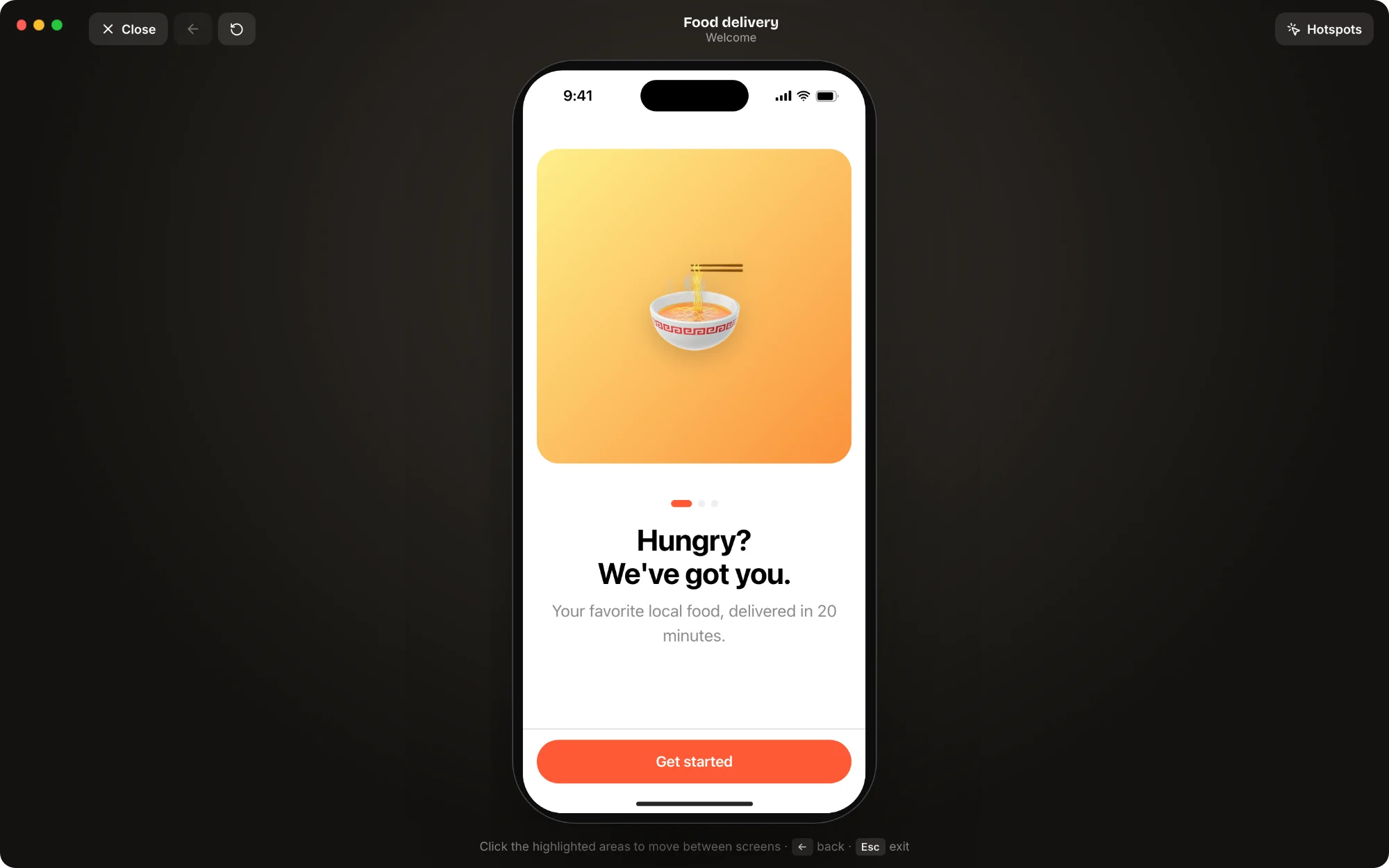
130 components that look native on each. The same mockup switches between the three.
- Navigation
- Top bars, tab bars, side menus, breadcrumbs, page dots and step progress.
- Content
- Lists, cards, carousels, grids, tables, charts, calendars, maps, chat and a music player.
- Forms
- Text fields, switches, sliders, steppers, dropdowns, verification codes and file upload.
- The fun ones
- Tickets with QR codes that really scan, flashcards, quizzes, stories, swipe cards and achievements.
When it’s tapped, make it move.
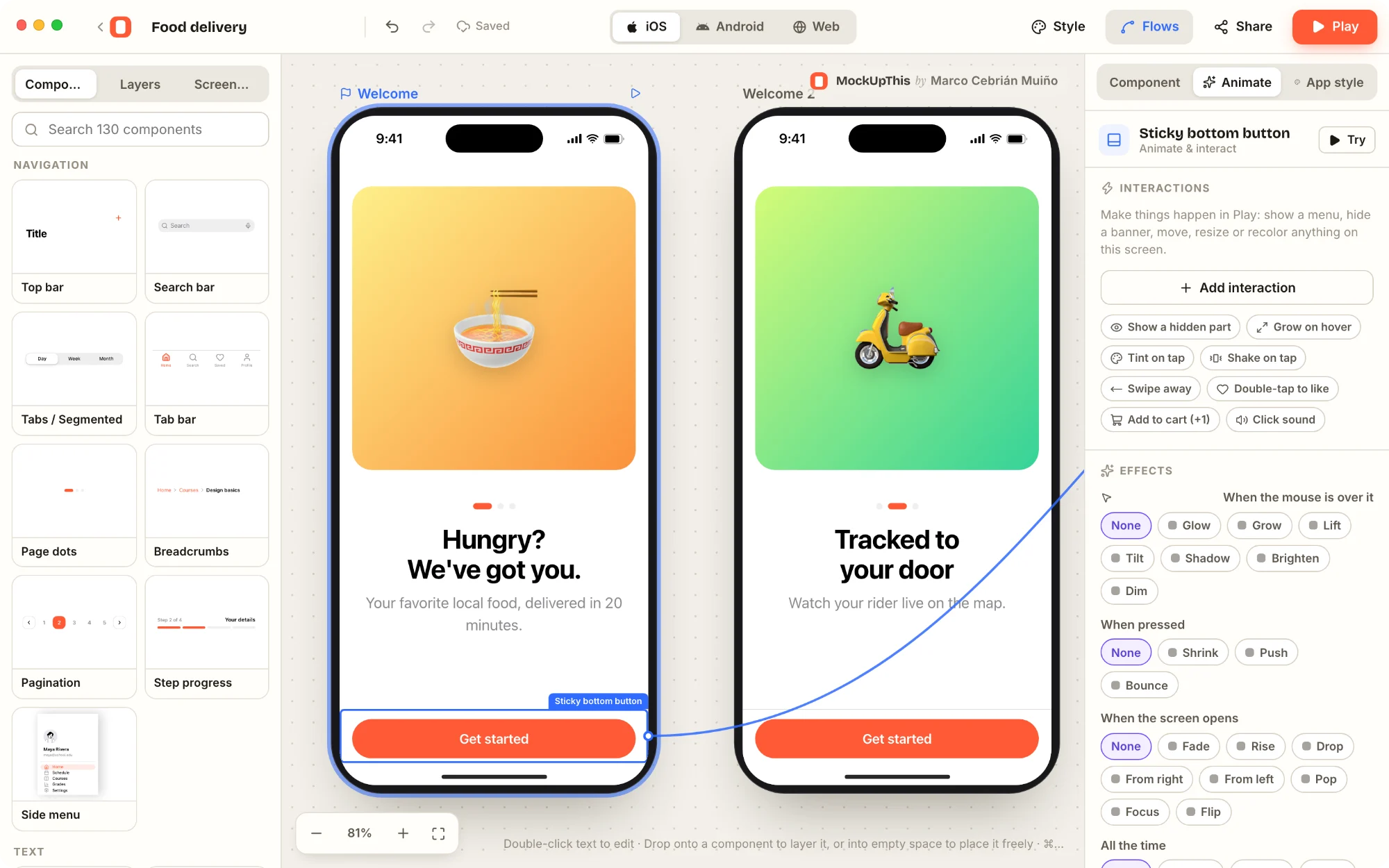
The Animate tab works in plain words: when this is tapped, swiped or long-pressed, show, hide, move, shake, play a sound or go to a screen.
Count things (“+1 to cart”) and show the number in any text. Only log in when the field is filled in; otherwise, shake. Hover, press and entrance effects, too.
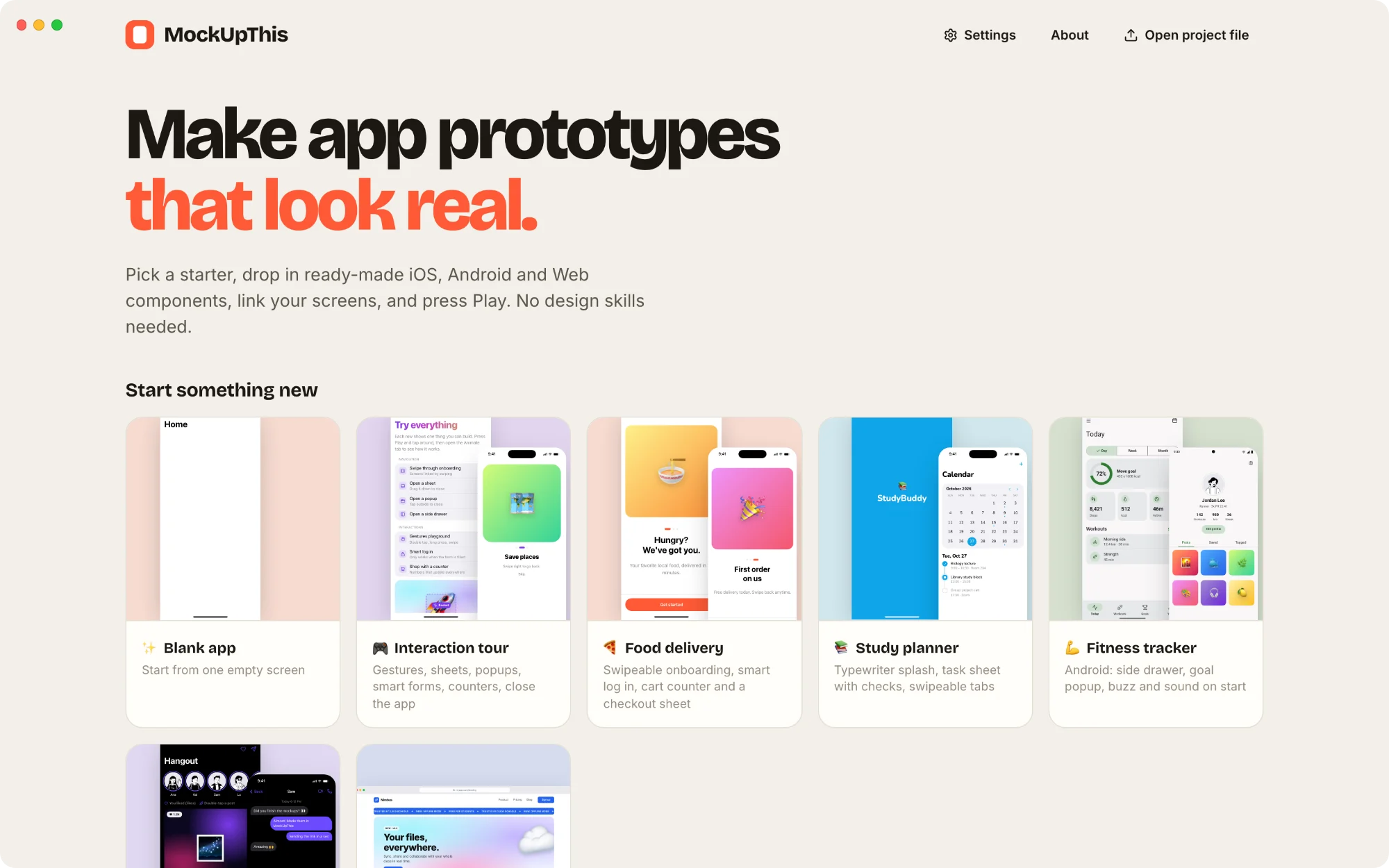
Start from something.
33 ready-made screens and 7 starter apps: food delivery, a study planner, fitness, social and chat, a startup website, a tour of every interaction, and a blank one.
Around 1,900 icons work offline and 200,000 more are a search away, with Creative Commons photos, avatars and gradients. No API keys, nothing to set up.
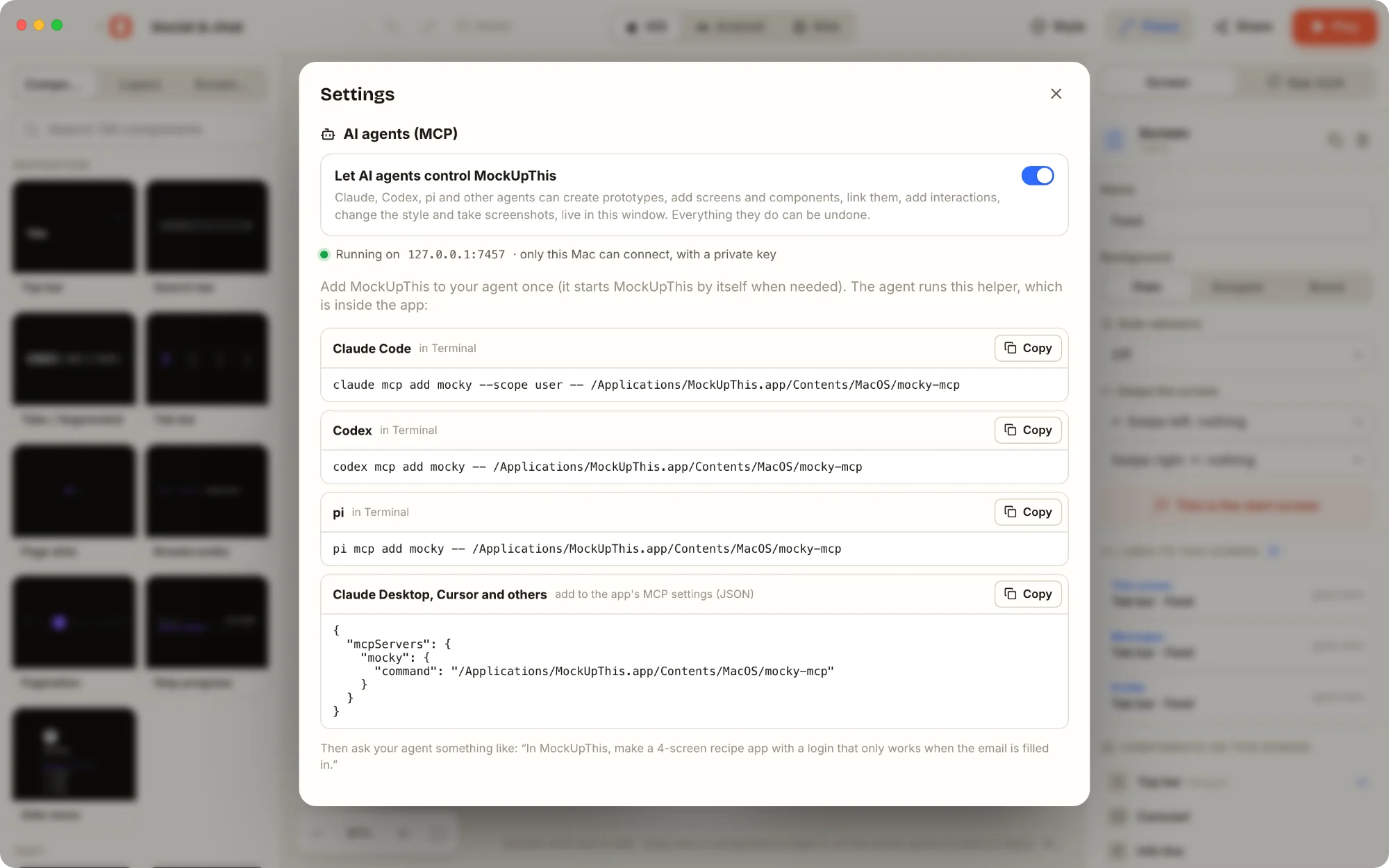
Let an AI agent build with you.
Switch on AI agents in Settings and Claude, Codex, Cursor or any other MCP client can add screens, components and links in your open window while you watch.
Every change can be undone. The connection stays on your Mac, with a private key, and is off until you turn it on.
The rest, in short
- Share it
- Send a classmate a link that opens your prototype in their MockUpThis; the whole project is packed inside the link. Export every screen as PNG, with or without device frames, or print them all to PDF.
- Private
- No account, no analytics, no ads. Your projects stay on your Mac. Photo and icon search only send the words you type. Read the privacy policy.
- Try it, then choose
- Every feature is free for 72 hours. After that, unlock it for good with one payment, or subscribe month to month and cancel whenever you like.
- Works offline
- The editor, the components and the offline icons are inside the app. Fonts and the photo and icon search need the internet.
MockUpThis for Mac
macOS 13 or later. Free for 72 hours. Then 17,99 € once, or 5,99 € a month, or the equivalent in your currency. Coming soon to the Mac App Store. Questions: mcebrian (at) ik.me
Icons: Lucide (ISC) and Iconify. Photos: Openverse, Wikimedia Commons and Picsum, under their authors’ licences. Avatars: DiceBear. MockUpThis is not affiliated with them, or with Apple, Google or any AI company named here. Read the terms.