
 macOS, iPhone and iPad
Your Safari. Your search engine.
Replace Safari’s default search with any of 29 privacy-focused or mainstream engines. No configuration, no latency, no account. It just works.
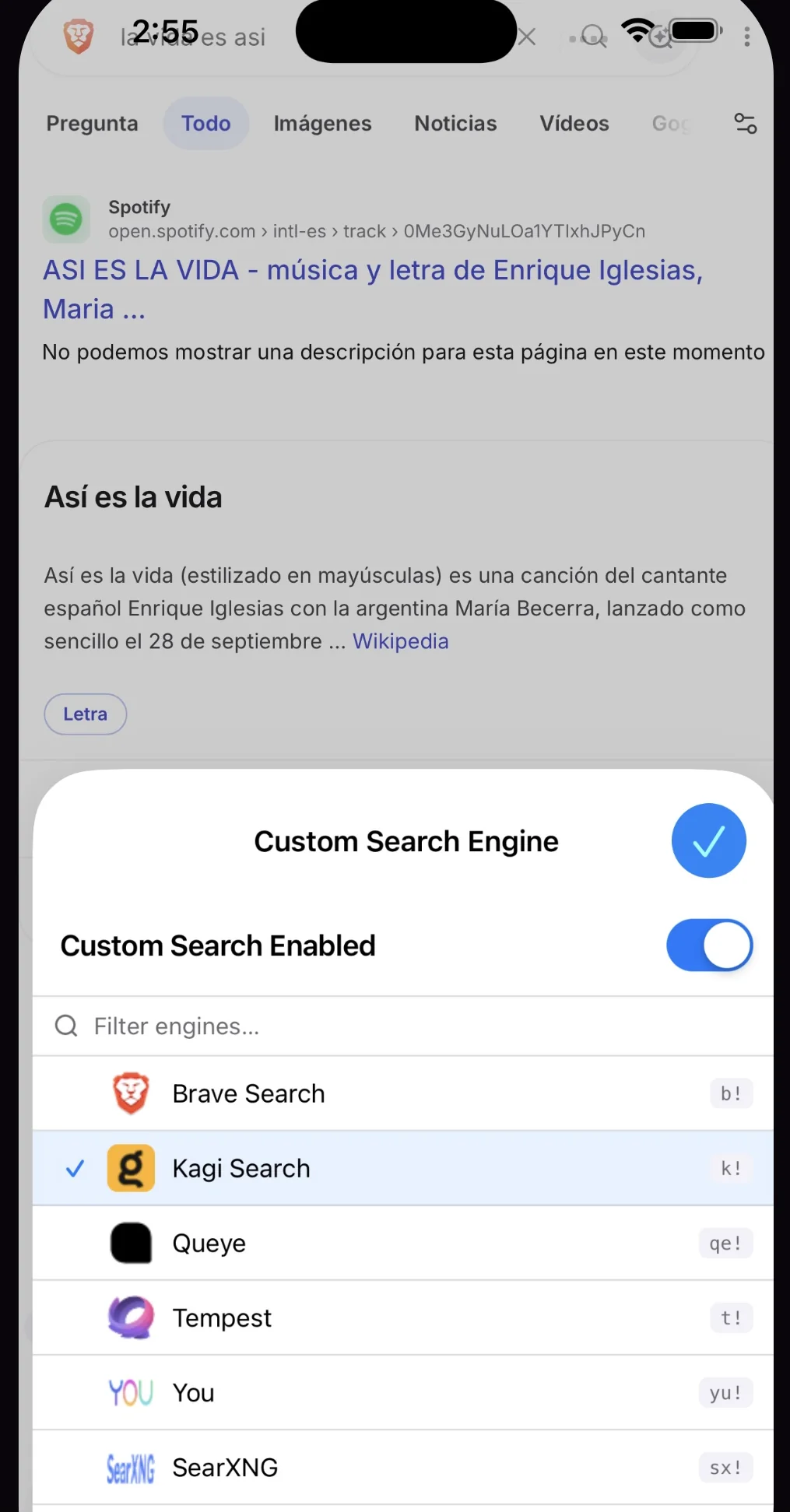
One tap to switch engines.
Pick an engine from the toolbar, add your own, or jump somewhere else for a single search.
Everything you need. Nothing you don’t.
Built for people who care about privacy and want more control over how they browse.
29 built-in engines
Brave, Kagi, DuckDuckGo, Startpage, SearXNG, Perplexity, Google, Bing and 21 more, ready out of the box. No account needed.
Bang shortcuts
Put a bang at the start or end of a search to change the engine for that query only. k! swift testing goes to Kagi. cats d! goes to DuckDuckGo.
Your own engines
Add any search engine with a URL pattern. Put %s where the query goes, give it a bang, and it works like the built-in ones.
Native in Safari
On iPhone and iPad, redirects use Safari’s own declarativeNetRequest rules, before any JavaScript loads. Zero overhead on every navigation.
Instant on and off
One tap in the Safari toolbar turns it on or off. Your engine is remembered, and Safari’s default is one tap away.
Mac, iPhone and iPad
Full parity. The Mac uses a native Safari App Extension; iPhone and iPad use a Safari Web Extension. Settings stay on each device.
From privacy-first to AI-powered.
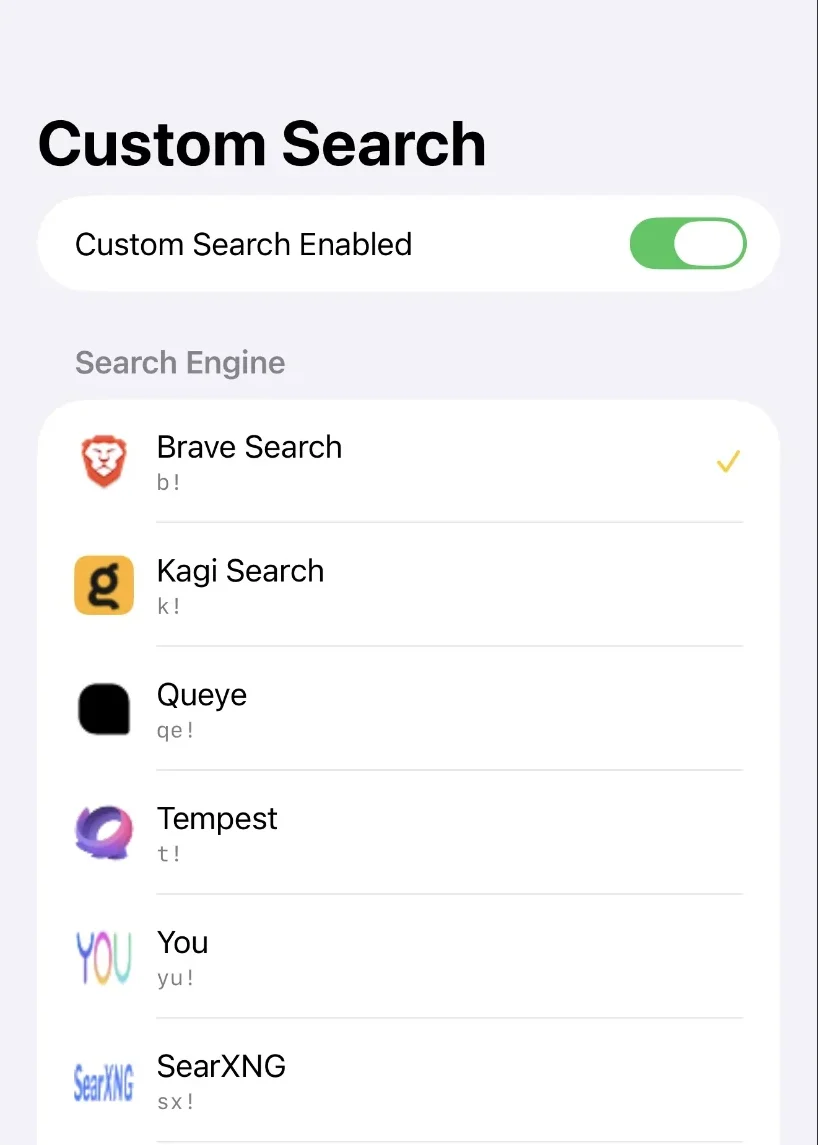
Every engine is set up and ready. No URLs to remember. The short code is its bang.
Plus as many custom engines as you want to add.
Override on the fly.
Your default engine handles most searches. A bang jumps somewhere else for one query. Type one below and see where it would go. This box doesn’t search or leave the page.
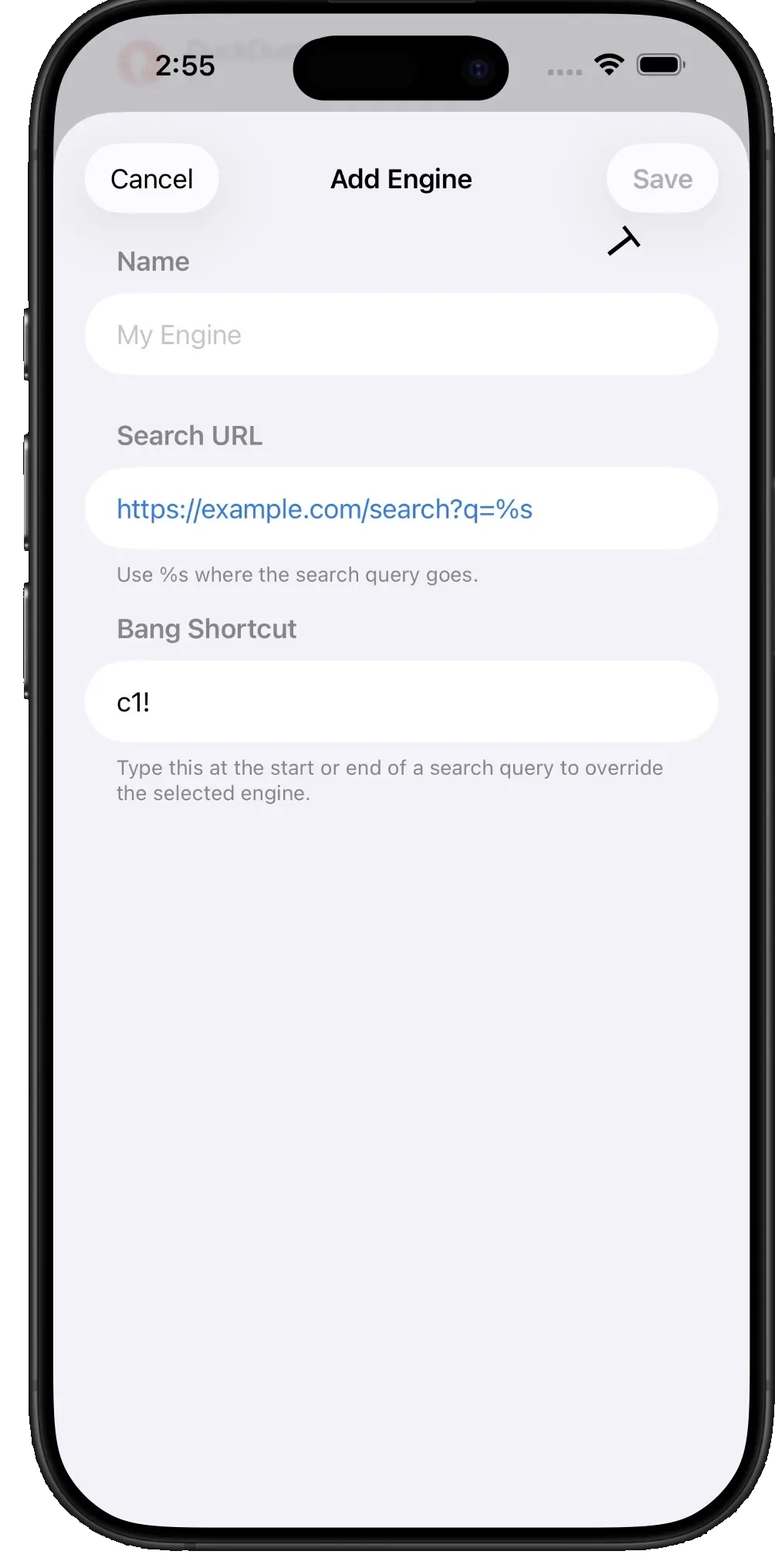
Make it yours.
- Add any engine with a URL pattern. Put %s where the query goes.
- Give it a bang shortcut and it works exactly like the built-in ones.
- Everything stays on your device. No account, no sync, no server.
We see nothing beyond the search URL, and only for a moment.
Custom Search only acts on the navigation, at the URL. It never reads the page, never stores your queries and never phones home. On iPhone and iPad the redirect is a Safari rule, so the extension’s own code never sees your search at all.